I audited my own git tool and found it deleting people's config
Everyone who works across more than one git identity has done it at least once: pushed a commit to a work repo with a personal email, or the other way round. It's harmless until it isn't. The author line on a commit is permanent, and rewriting pushed history to fix it is never fun.
I built a small CLI for this, git-context-switcher, released it, and moved on. About a year and a half later I sat down to audit it properly: was it still solving a real problem, and was the code still any good? The honest answers were "yes, but git now does most of it itself" and "no, and in one case it was actively harmful." This post is about what I found and the rewrite that came out of it.
What git already gives you
The core trick behind every tool like this is a git feature called conditional includes. You tell git: when a repo lives under this directory, also load this other config file.
[user]
	name = Ada Example
	email = ada@home.example.test

[includeIf "gitdir:~/work/"]
	path = ~/.gitconfig.d/work.gitconfig
Inside ~/work/, git reads work.gitconfig too, and any user.email in there wins because it's loaded later. That's the whole mechanism. Since git 2.36 there's a second condition, hasconfig:remote.*.url:, which matches on where a repo's remote points rather than where it sits on disk. That's the one I really wanted, because repos don't always live where you expect.
Tip
The trailing slash matters. A gitdir pattern without one matches a single exact repository, not everything underneath it.
So the question for my tool became: if git does the matching, what's left for a CLI to do?
What the audit found
Three bugs, all in the part of the code that tried to edit git config by hand.
- It deleted includes it didn't own. Every time you added or removed a context, it stripped every
[includeIf "gitdir:…"]block out of your global config, including ones you'd written yourself. A remote-based include sitting right after one got swept away with it. - Only the first directory pattern ever worked. A context could list several directories, but a leftover field from an older data format meant only the first one was written out.
- Modern setups were rejected. Signing keys had to be hexadecimal GPG IDs, so SSH signing keys failed validation. Any config key beyond name, email and signing was silently dropped.
I reproduced each of them against a throwaway home directory before touching anything. That was the humbling part: none of this was in the clever code. It was the plumbing.
The bugs weren't in the clever parts. They were in the part where my code tried to be git.
The release setup had its own surprise. I'd built a three-workflow chain meant to create GitHub releases and publish to npm automatically. It couldn't have worked as designed: a release created with GitHub Actions' built-in token doesn't trigger other workflows. Looking back through the history, every GitHub release I'd shipped had been created by hand.
The rewrite: let git do the work
The fix for all three bugs turned out to be the same idea. Stop parsing and rewriting config files, and have git config make every change. Git already knows how to read, quote and write its own format.
State lives entirely in git config now. Each context is one file in ~/.gitconfig.d/, and an include belongs to the tool only if it points into that directory. Anything else in your gitconfig, hand-written includes included, is never touched. There's no separate JSON database to drift out of sync, which is what caused the second bug in the first place.
git-context add work --dir ~/work \
  --remote github.com/acme-example \
  --email ada@work.example.test -y
That writes a directory include plus remote matching. The remote part took some care: one friendly pattern becomes three globs, so it matches https URLs, ssh:// URLs and the git@host:org/repo form, and it's anchored to the host so a URL like https://evil.example/github.com/acme-example/x doesn't sneak through.
[includeIf "gitdir:~/work/"]
	path = ~/.gitconfig.d/work.gitconfig
[includeIf "hasconfig:remote.*.url:*://github.com/acme-example/**"]
	path = ~/.gitconfig.d/work.gitconfig
[includeIf "hasconfig:remote.*.url:*://*@github.com/acme-example/**"]
	path = ~/.gitconfig.d/work.gitconfig
[includeIf "hasconfig:remote.*.url:*@github.com:acme-example/**"]
	path = ~/.gitconfig.d/work.gitconfig
Everything past that is what git doesn't give you on its own. Each context can also carry an SSH key for pushing and SSH or GPG commit signing, plus any other git setting you want scoped to it.
The parts git doesn't do
Once the tool stopped trying to be git, the interesting work became checking git's answers.
whoami
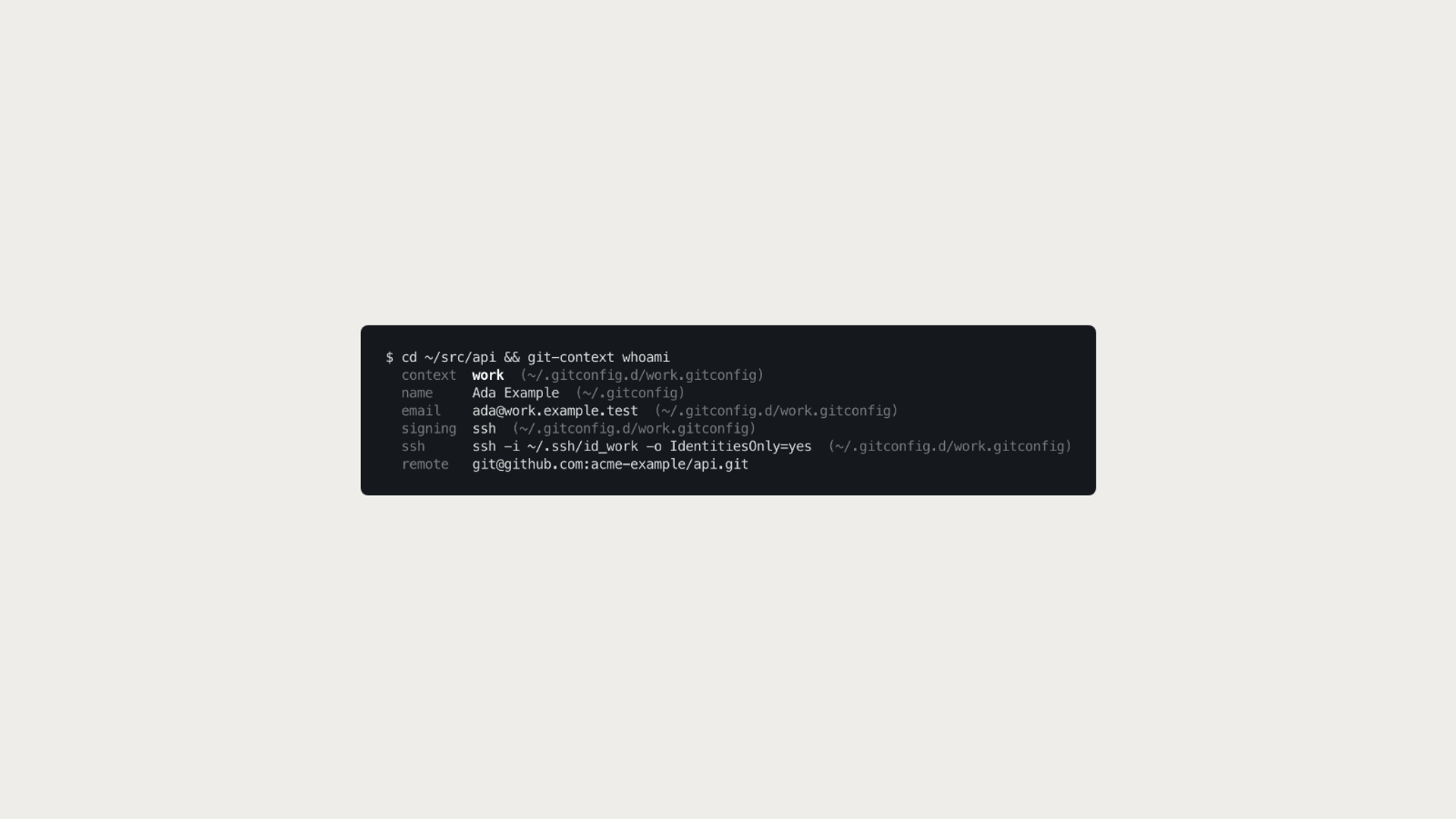
The old apply command guessed which context applied by running its own regex against your current directory. Now whoami just asks git, and shows where each value came from:
$ cd ~/src/api && git-context whoami
  context  work  (~/.gitconfig.d/work.gitconfig)
  name     Ada Example  (~/.gitconfig)
  email    ada@work.example.test  (~/.gitconfig.d/work.gitconfig)
  remote   git@github.com:acme-example/api.git
That repo isn't under ~/work at all. The remote match picked it up.
doctor
The most common way this setup breaks is also the hardest to see. Git applies config top to bottom, so a [user] block that ends up below the includes overrides every context. doctor checks for exactly that:
$ git-context doctor
✔ git 2.50.1
✖ user.email is set in your global gitconfig after the context includes, so it overrides every context
    → Move the [user] section above the includeIf blocks, or git config --global --unset user.email
It exits non-zero on errors, so it works in a dotfiles CI job too.

The identity guard
This is the one I use most. git-context guard on sets git's own user.useConfigOnly and sets your global email aside, so outside a context git has no identity to fall back on and refuses to commit instead of guessing:
$ git commit --allow-empty -m test
fatal: no email was given and auto-detection is disabled
guard off puts your global email back.
audit
For the commits that already slipped through, audit walks a folder of repos and lists recent commits made with one of your emails that isn't the one git resolves for that repo today:
$ git-context audit ~/src
⚠ ~/src/api expects ada@work.example.test (work)
    58bcbf75 2026-09-27 ada@home.example.test  Fix typo in README
It only flags your own addresses, so a colleague's commits don't show up as noise.
Smaller, not bigger
The v2 library is about a third smaller than v1, around 2,000 lines against 3,000, while doing noticeably more. Runtime dependencies went from five to two: chalk, fs-extra, tmp and the full inquirer package were replaced by Node built-ins, leaving commander and @inquirer/prompts. The test suite runs real git against a throwaway home directory and asserts on what git actually resolves inside a repo, rather than on what the files look like. The three old bugs each have a regression test.
Releases are different too. Pushing a version tag stages the package on npm through trusted publishing. There's no long-lived token anywhere, and the version only goes live after I approve it with my two-factor code. That probably deserves its own post.
Try it
It needs Node 22.13 or newer, and git 2.36 or newer for remote matching.
npm install -g git-context-switcher
git-context setup
git-context doctor
If you were on 1.x, your contexts migrate automatically the first time you run any command, and the old settings file is kept as a backup. The code, docs and changelog are on GitHub.